



Vibe Usage 更新|支持 Gemini 4 Argon、Mistral Large 4 等模型
- #Gemini 4 Argon,按标准目录价入表(含 Priority / Flex / Batch
档与缓存读价;引导价不计) - #Mistral Large 4,按常规刊例价入表(sale 列不计),补 -4-0 / -4.0 别名
- #OpenAI GPT-5.5 Cyber、GPT-Rosalind Research / Discovery 入表
- 订正:Claude Sonnet 5.5 缓存命中价按官方 0.05× 乘子订正;同页核对其余 Claude 行无差异
- 核对:Ling-3.1-flash、U2 Flash、LongCat-2.5-Preview、Agnes 3.0 Pro、Kimi K2.8 Preview 暂无标准价,保持未匹配






最近在探索一些运营方面的事情,发现现在浏览器有 CDP 协议可以让 AI 直接去操作浏览器,而 AI 的聪明程度已经可以自行去探索 DOM 结构,基于此思路,人工设置好关注的话题倾向度和判断标准就可以完全让 AI 自己去运营一个账号。
整个过程做了一个比较完整的抽象,初始化直接支持以对话形式完成,在支持 cdp 的浏览器里登录号账号之后把 cdp 丢回去即可,初始化完成后做个定时任务启动,每次都会根据配置进行发帖/回帖/转发/评论/互动,相关度由 AI 去判断,根据相关度 AI 会决定要执行还是跳过,内容来源可以是账号的自动推送以及搜索。
欢迎使用~: https://github.com/HuberTRoy/x-automation 有问题请直接 Issue 或者 PR 拍脸。






今天加入了Vide Friends 999俱乐部,非常高兴可以给大家介绍AutoAds这个产品,这是一款面向联盟电商的 Google Ads 自动投放与持续优化平台。属于联盟营销+广告投放结合的效率工具,欢迎大家来看看~







SpotAsk v0.3.0 发布,新增 Decision Model(Jev)智能路由功能。
SpotAsk 是一款开源免费的原生 macOS 菜单栏 AI 助手与问题路由器。你可以使用快捷键或划词助手随时呼出进行提问,并选择在应用内流式作答,或由一键跳转至网页 AI 与本地 CLI Agent 发送你的问题。
SpotAsk 的理念是,先把问题写下来,再决定问题问哪个 AI。加上 Decision Model 的帮助,它可以在亚秒级的时间内(~300ms)完成决策,为你推荐具体的去向。你甚至不需要思考问题发给谁,可以更专注于问题本身。
例如,对于简单的翻译任务,可直接在SpotAsk内完成;而对于需要联网搜索最新信息的任务,Jev则会路由并打开ChatGPT Web端自动提问。
怎样更精准地获得Decision Model的判断,并且利用它返回的置信度分数呢?路由错了怎么办?SpotAsk的设计是,允许设置当分数超过某个阈值(如0.8)后,自动路由与发送;否则,仅进行渠道推荐,不自动发送。你仍然可以用Enter键来一键发送它推荐的渠道,也可手动选择其他渠道。
对 SpotAsk 以及新功能感兴趣的朋友,欢迎下载体验。
项目地址:https://github.com/shiquda/SpotAsk
下载体验:https://github.com/shiquda/SpotAsk/releases
用户文档:https://shiquda.github.io/SpotAsk/


迭代近一年,做好一个小插件。
今天,正式发布 Lumno 🦋。让浏览器的一切,一搜即达。
36 个版本、37 条真实 issue、数千位用户、4.8 分好评,还有一个百人用户群。谢谢一路陪 Lumno 走到今天的每一个人 🙏
一个快捷键,标签页、书签、历史、站内搜索一搜即达;附带好看的新标签页和视频自动画中画。开源,不收集任何数据。
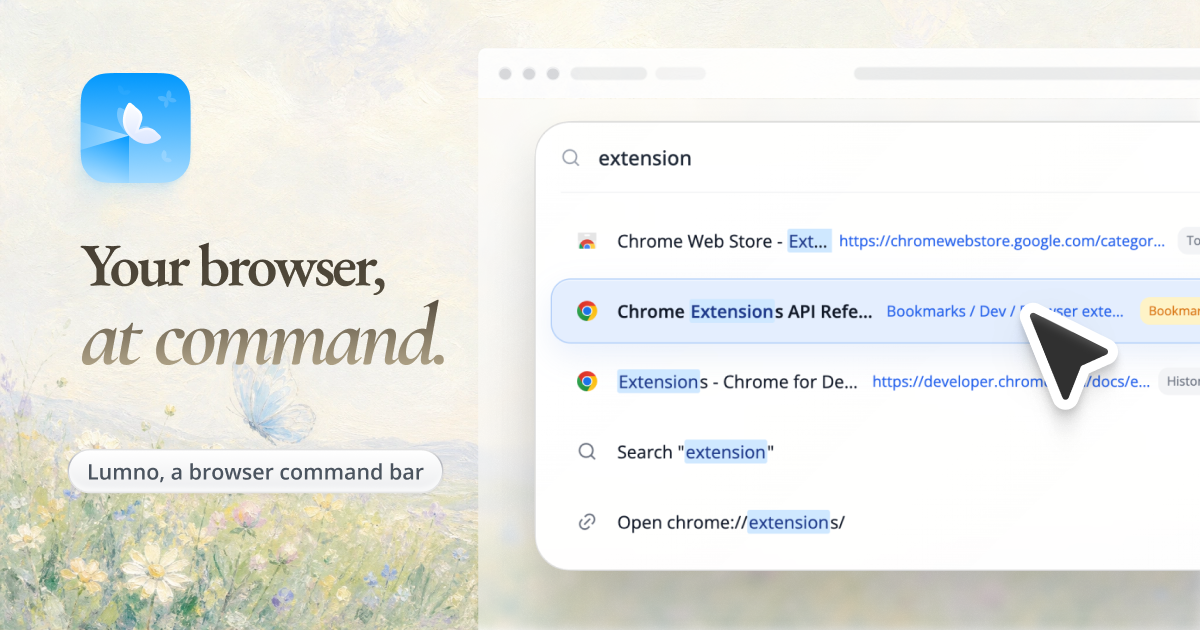
Lumno|浏览器命令栏、聚焦搜索与极简新标签页

A little glow for your next YouTube binge. Video Ambient Light is a free Chrome and Firefox extension that brings video colors into the surrounding page. Works with YouTube Shorts, TikTok, and Reels too. Adjust the glow to suit your mood. #YouTube #AmbientLighting


🎬 一款为每一帧画面注入灵魂的非线性视频编辑系统。


AI 写出的界面,功能可能齐全,设计却未必合你心意。想改布局、调颜色、换风格,又很难只靠文字说清楚?
试试 Protolab:快速调整界面设计,把你想要的效果直观地交给 AI 参考,让下一轮开发更贴近你的想法。支持多平台使用,从“反复描述”到“直接给它看”,让你和 AI 配合得更顺畅。


AI Hub is a small AI toolkit that runs entirely in your browser. It currently has two tools: turning a rough sketch into finished artwork, and an AI tarot reading that helps you look at a question from another angle.
What you can do
- Sketch to image — Draw an outline on the web canvas, pick a style, and let AI add the colour and detail. 12 built-in styles, plus a family drawing mode for kids.
- AI tarot reading — Draw six cards for a question and use the AI reading to organise your thoughts. It doesn't predict the future; it just offers another perspective.
- English and Chinese — The interface and content are available in both languages.
- Come back anytime — Download what you make, or reopen it from your history and keep working on it.
How pricing works
Pay as you go. Buy one credit pack and use it across both tools — no subscription, no auto-renewal. Image credits depend on the model you choose (currently 4–5 credits per image), and you're only charged when a generation succeeds; failed generations are refunded.
Why I built this
I just wanted somewhere I could open and draw a couple of lines without installing anything. You don't need to know how to draw, and you don't need to learn complicated prompts.


我开发的用于L2D和Spine的插画分层及补画技能:拆分二次元插画、补齐遮挡,分离固有色与光影,交付可编辑母版和普通图层版 PSD。
欢迎给我提提建议!https://github.com/ChitoseRen/semantic-illustration-layers