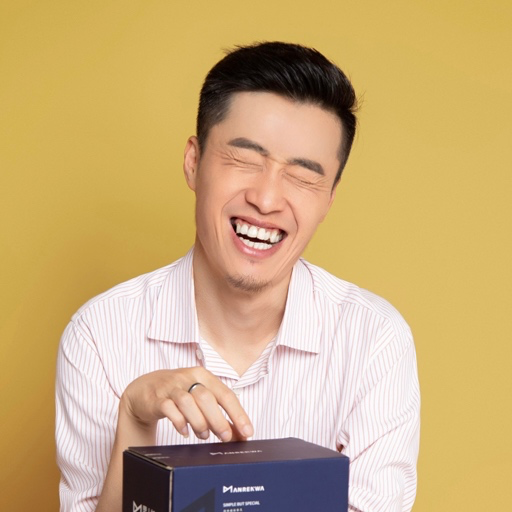


阴明在 TRAE AI 创造力大赛的 24 分钟分享,我们把现场剪出来了。
主题是《如何和用户一起实现,独立开发产品从 0 到 1 的增长和收入》。
他一上来问了三个问题:在场谁用过 AI 编程工具,几乎全场举手;谁完整做完并且真的上线过自己的产品,手少了一大半;谁的产品已经有健康的收入、有 ARR,几乎没有人举手。这三只手之间的落差,就是他这场要讲的东西。
他的判断是:AI 编程把「做出来」这件事变简单之后,做对一个需求已经不够了。你爆了,一周之内会出现十个同款,样子一模一样,功能一模一样。真正的分水岭变成了,你有没有能力持续挖掘对的需求。
第一条做法,找用户比做产品更重要,70% 到 80% 的精力应该花在这上面,甚至可以先把用户找到再去做产品。他讲了见过最极致的一种:功能还没开始做,先在群里卖十九块九的预售,愿意付钱的人拉进小群,再照着他们的反馈做。用他的话说,你如果在早期不会找用户,产品上线了还是不会找用户。
第二条,听用户要什么,要多于自己思考。 他把群里反馈的强度分成四档,这段可以直接抄走用:
- 群里没反应,就是用户不要,不要再纠结是不是自己没讲好;
- 有零星反应,隔几十分钟一句「还可以」,大概率也不重要;
- 好几个人说不错但你能感觉到不强烈,进 backlog,不是最紧急的;
- 非常嗨,包括喷得很嗨,那是真需求。他不想让你做 X,往往代表他更希望你做 Y。
他自己的 Vibe Usage 就是这么长出来的。团队功能在同类产品上已经是标准答案,他在群里问过三遍,每次都是明确的不想要,于是他就不做。后来发现做了团队功能的那几个产品,长期数据反而不如不做的。
最后他讲了这套东西怎么自动跑起来:用户提反馈,系统分析、出产品文档、交给 AI 开发,最后在 GitHub 上发一个 PR 等他点头。他大概 90% 直接合并,10% 拒绝,然后让 AI 自己总结「我为什么会拒绝这几个」。告诉 AI「我的理解是 A 不是 B」很难,但每次点接受或拒绝很简单,系统会越来越像你。
完整 24 分钟,字幕全程烧录,已经发在小红书,视频号同步中。
给 Vibe Friends 们送 5 个免费的 Nowdex App 兑换码。可以在手机上通过小组件实时查看 AI Agent 的用量
折扣码:KLKE4LTHLPYKP48L74
兑换地址:https://apps.apple.com/redeem?ctx=offercodes&id=6791450777&code=KLKE4LTHLPYKP48L74
折扣码:P86X34TMNHHFXME3KP
兑换地址:https://apps.apple.com/redeem?ctx=offercodes&id=6791450777&code=P86X34TMNHHFXME3KP
折扣码:YNYTKWJ7F43A4PF7WK
兑换地址:https://apps.apple.com/redeem?ctx=offercodes&id=6791450777&code=YNYTKWJ7F43A4PF7WK
折扣码:EHLXRPKXN87YEJPPMK
兑换地址:https://apps.apple.com/redeem?ctx=offercodes&id=6791450777&code=EHLXRPKXN87YEJPPMK
折扣码:H3ARTYT8MLE86L78AF
兑换地址:https://apps.apple.com/redeem?ctx=offercodes&id=6791450777&code=H3ARTYT8MLE86L78AF
后天 VibeHacks #05 就要开始了。
这两天我一直在翻大家报名时提交的选题,一条条看下来,有件事想请你帮个忙。
先交代一下这一期在做什么:主题是 Vibe Coding for 准点下班,33 组参赛者会在 8 月 29 日用一整天,把一个真实的办公痛点做成能上手体验的作品。
难点在选题上。目前收上来的想法里,周报日报、下班前的工作交接占了挺大一块。这些都是真痛点,只是撞题的人一多,一天下来现场容易雷同。我更希望参赛者手上有一批来自不同工种、彼此不重样的真实素材。
所以我想直接问问屏幕前的你:你工作里最烦的那件事,是什么?
写在评论区,我一条条看。
怎么写才有用
三句话就够:你做什么工作、哪一步最消耗你、现在你是怎么处理的。
比如「我做跨境电商客服,每天要从三个平台把咨询记录合到一张表里,现在靠手动复制」。越具体越容易被挑中,因为参赛者只有一天时间,题目太大就没法开工。
我最想听到的是这些岗位
HR 招人筛人时最耗时间的那一步;运营做活动复盘、素材整理时的那一步;增长和投放盯数据、拉报表、对口径的那一步;Leader 同步进度、对齐目标、追结果的那一步。
个人效率、团队协同、业务流程、数据洞察、内容创作、行业工具,这些都算方向。只有你所在行业才懂的问题,反而最珍贵。
选中了有什么
组委会会把收上来的痛点整理成选题灵感库,交给全部参赛者挑。凡是被选进灵感库的留言,我送你一份 VibeToken.cn 30 元代金券,激活码会私信发给你。
留言截止到 8 月 28 日 18:00,当晚的线上启动会我就要公布赛题了。
也欢迎你直接来现场
参赛者和特约观察员都在同一个活动页选身份报名:https://vibecafe.ai/hacks/5
报名到 8 月 28 日截止,免费,审核制,每队 1 至 3 人,可以一人成队。8 月 29 日在北京海淀原点学堂比一天,单日不过夜,奖金池 21000 元现金。
特约观察员不用写代码,来现场体验作品、投出你那一票就好。
手上有合适的 Mentor 人选,或者你自己就是,欢迎写信到 fengx@vibefriends.com 自荐或推荐。
把那件每天都让你叹气的工作写下来。8 月 29 日,我们一起试着把它做掉。
Lody 开源了,希望大家能够帮忙点一点 star,感谢🙏🏻 下载也可以免费使用~

GitHub - LodyAI/Lody: Share coding agents with your team on phone and desktop
https://github.com/Johnbug/add-cihua-code-comments-skill
给关键代码配上古小说词话本风格的韵文注释——「有诗为证」,句句押韵,风格可选。
词话本小说(《金瓶梅词话》《水浒传》《红楼梦》……)每到关键时刻,便有「有诗为证」的韵文插话。把这个传统搬进代码注释:
// 正是:
// 禅杖打开危险路,戒刀杀尽不平人
// 一退一进三回合,方教妖雾散无痕
async function callWithRetry
for (let i = 0; i < maxTries; i++) {
try {
return await fn();
} catch (err) {
if (i === maxTries - 1) throw err; // 最后一回合,怒斩妖雾
await sleep(2 ** i * 100); // 且退一步,蓄势再来
}
}
}
代码干净如初,故事全在注释里。默认含蓄隐晦——风月味走双关借喻,露骨程度是使用者可调的旋钮。
/vibex 0.5.0 已发布,我们将在本周内继续开放一批新的内测资格,敬请期待。
主要更新内容:
- 全平台App现在支持Agent工作状态推送,你可以通过App通知直达终端、异步工作。(Android端仅支持Google FCM推送,无任何后台保活机制,部分国产手机可能无法收到推送)
- 全平台App网络层与渲染层重构并引入自研Webview/原生组件混合渲染框架,在极致省电的前提下提供流畅高刷体验。
- 修复了一些体验问题。
桌面App用户将在稍后收到应用内更新。
iOS新版本将在通过商店审核后上架Testflight。
Android用户请暂时通过手动安装APK的方式更新。
耗时将近一个月终于把架构里的💩清理干净了,可以开始堆功能辣!
hi,宝子们,我来了!!!
推特可以互关下哈哈
base杭州的宝子可以来公司喝茶
有需要办活动的也可以联系我~Ai相关的都可以免费提供场地支持

科学家无邪🔶 BNB (@sciencedegens) on X
Hi,大家好,我做了一个网页版本的Screen Studio,无需下载、打开即用。现在内测中,欢迎体验 👉 https://www.demofilm.app/
vibe了一个ai大战平台。目前还不知道效果如何,请大佬们帮忙看看有没有需要改进的地方。尤其是策略这块,我让 AI 思考设计的。但是不知道有没有真正的实现更聪明的 AI 能够设计出更强的策略。

VIBE WAR — 策略你写, 仗它来打。
我用 AI Coding 开发了属于自己的技术博客网站 Ruixe Blog 欢迎访问 ~
在我上大学的时候,我就想自己开发一个属于自己的博客网站,我想有一个不受约束地记录自己的技术博客文章的平台,并作为展示我 Web 开发技术的 “名片”。想法很美好,但我却始终因为各种理由没有付诸行动,大学时忙于上课和毕设论文,毕业后又忙于工作。但现在,2026 年中旬,AI Coding 已经成熟,且已经是我日常的工作流,极大提升了我的开发效率,那么我的个人博客项目开始新建文件夹了。
历时一个月,从规划到博客网站正式上线,中途利用空闲时间断断续续推进项目开发。终于将一个我还是学生时的理想实现了,我现在有了一个属于自己的技术博客网站,不再受大平台的内容审查限制,也不需要担心自己的博客文章被大平台用于作者不知情的付费阅读营收。当然,不在大平台发布文章意味着我需要自己维护博客网站的项目,需要自己处理博客内容曝光率和用户流量,但这也能让我学到很多新的知识。
详细的过程可查看 https://ruixe-blog.vercel.app/zh/posts/my-first-blog-website
LAUNCHED WhoRules.Today: One bid, two battlefields. Seize Today before midnight and build your permanent GOAT rank.
Mini 不再迷人!!!
苹果发布 M6 与 M5 Ultra 与新款 Mac Mini !
配备 M6 芯片后,Mac mini 的 AI 性能最高可提升 4 倍,存储速度与图形处理速度提升 2 倍,CPU 性能提升 40%。而搭载 M5 Pro 芯片的 Mac mini 则提供更专业的性能。
M5 Ultra 是此次更新的真正主角。它采用四晶粒(quad-die)3nm 架构,是苹果芯片史上首次使用该设计,晶粒间互联带宽达 4.4TB/s,最高提供 36 核 CPU 与 80 核 GPU,支持最高 512GB 统一内存,内存带宽达 1.2TB/s,AI 性能最高提升 4.3 倍。
新款 Mac Studio 的 M5 Max 版本起售价 2,499 美元,M5 Ultra 版本起售价 5,499 美元,顶配(256GB 内存 + 16TB 存储)售价高达 18,299 美元,512GB 内存版本预计 10 月下旬推出。
国行 8 月 27 日上午 9 点开始预购,比美国晚两天,9 月 22 日发售。
deepseek网页版鹈鹕骑自行车用的快速模式
<!DOCTYPE html>
<html lang="zh">
<head>
<meta charset="UTF-8">
<meta name="viewport" content="width=device-width, initial-scale=1.0">
<title>鹈鹕骑自行车 · 动画</title>
<style>
* {
margin: 0;
padding: 0;
}
body {
background: #1e3c4f;
min-height: 100vh;
display: flex;
justify-content: center;
align-items: center;
font-family: 'Segoe UI', Roboto, system-ui, sans-serif;
}
.card {
background: #9fc7d9;
padding: 20px 20px 25px;
border-radius: 48px 48px 32px 32px;
box-shadow: 0 20px 30px rgba(0, 0, 0, 0.5), inset 0 2px 4px rgba(255, 255, 255, 0.3);
transition: 0.2s;
}
canvas {
display: block;
width: 800px;
max-width: 100%;
height: auto;
aspect-ratio: 800 / 450;
border-radius: 28px;
background: #b3d9ef;
box-shadow: inset 0 0 0 2px #d7ecf7, 0 8px 12px rgba(0,0,0,0.3);
cursor: pointer;
}
.caption {
margin-top: 14px;
text-align: center;
font-weight: 600;
color: #f5f9ff;
text-shadow: 0 2px 3px #1f3f4a;
letter-spacing: 2px;
font-size: 1.1rem;
background: #568296;
padding: 6px 18px;
border-radius: 60px;
display: inline-block;
backdrop-filter: blur(2px);
box-shadow: inset 0 1px 4px #b3d9ef;
}
.footer {
display: flex;
justify-content: center;
margin-top: 6px;
}
</style>
</head>
<body>
<div class="card">
<canvas id="canvas" width="800" height="450"></canvas>
<div class="footer">
<span class="caption">🚲 鹈鹕兜风 · 踏板加速中</span>
</div>
</div>
<script>
(function() {
const canvas = document.getElementById('canvas');
const ctx = canvas.getContext('2d');
// 尺寸参数
const W = 800, H = 450;
// 自行车/鹈鹕 整体位置 (车轴中心)
let bikeX = 160; // 初始X
const bikeY = 290; // 地面高度 (车轮着地点)
const wheelRadius = 28;
const pedalRadius = 12;
// 动画状态
let angle = 0; // 脚踏旋转角度 (弧度)
let frameId = null;
// ---------- 绘制函数 ----------
function drawScene(angleRad) {
ctx.clearRect(0, 0, W, H);
// ------- 背景 -------
// 天空渐变
const skyGrad = ctx.createLinearGradient(0, 0, 0, H);
skyGrad.addColorStop(0, '#abd9f0');
skyGrad.addColorStop(0.7, '#d3ecfa');
ctx.fillStyle = skyGrad;
ctx.fillRect(0, 0, W, H);
// 远山/云 (简单装饰)
ctx.fillStyle = 'rgba(255,255,240,0.2)';
for (let i = 0; i < 4; i++) {
let x = (i * 230 + frameId * 0.2) % 900 - 100;
ctx.beginPath();
ctx.arc(x, 70, 50 + i * 12, 0, Math.PI * 2);
ctx.fill();
}
// 云朵 (慢速飘动)
ctx.fillStyle = 'rgba(255,255,255,0.5)';
const cloudOff = (frameId * 0.08) % 900;
for (let i = 0; i < 5; i++) {
let cx = (i * 190 + cloudOff) % 1000 - 100;
ctx.beginPath();
ctx.arc(cx, 40 + i * 8, 32 + i * 5, 0, Math.PI * 2);
ctx.arc(cx + 40, 30 + i * 6, 28 + i * 4, 0, Math.PI * 2);
ctx.arc(cx - 30, 30 + i * 7, 26 + i * 3, 0, Math.PI * 2);
ctx.fill();
}
// 草地 / 地面
ctx.fillStyle = '#6ba87a';
ctx.fillRect(0, bikeY + 6, W, H - bikeY + 10);
// 草地细节
ctx.fillStyle = '#4e8b5a';
for (let i = 0; i < 40; i++) {
let gx = (i * 27 + frameId * 0.6) % 850 - 20;
let gy = bikeY + 12 + Math.sin(i + frameId * 0.02) * 8;
ctx.beginPath();
ctx.ellipse(gx, gy, 5, 12, 0.2, 0, Math.PI * 2);
ctx.fill();
}
// 小路 (浅色)
ctx.fillStyle = '#c0b28a';
ctx.beginPath();
ctx.ellipse(400, bikeY + 18, 320, 10, 0, 0, Math.PI * 2);
ctx.fill();
ctx.fillStyle = '#b3a07a';
ctx.beginPath();
ctx.ellipse(420, bikeY + 24, 200, 6, 0, 0, Math.PI * 2);
ctx.fill();
// ------- 自行车 (先绘制,位于鹈鹕下方) -------
const cx = bikeX, cy = bikeY; // 后轮轴心
// 1. 车轮 (后轮 & 前轮)
ctx.lineWidth = 4;
ctx.strokeStyle = '#1f2a36';
ctx.fillStyle = '#2f3f4a';
// 后轮
ctx.beginPath();
ctx.arc(cx, cy, wheelRadius, 0, Math.PI * 2);
ctx.fillStyle = '#2d3d47';
ctx.fill();
ctx.strokeStyle = '#0e1419';
ctx.lineWidth = 3.5;
ctx.stroke();
// 轮辐 (后轮)
ctx.strokeStyle = '#7a8a94';
ctx.lineWidth = 2;
for (let i = 0; i < 10; i++) {
let rad = (i / 10) * Math.PI * 2 + angleRad * 0.5;
ctx.beginPath();
ctx.moveTo(cx, cy);
ctx.lineTo(cx + Math.cos(rad) * wheelRadius * 0.9, cy + Math.sin(rad) * wheelRadius * 0.9);
ctx.stroke();
}
// 前轮 (距离后轮 96px)
const frontX = cx + 96;
ctx.beginPath();
ctx.arc(frontX, cy, wheelRadius, 0, Math.PI * 2);
ctx.fillStyle = '#2d3d47';
ctx.fill();
ctx.strokeStyle = '#0e1419';
ctx.lineWidth = 3.5;
ctx.stroke();
ctx.strokeStyle = '#7a8a94';
ctx.lineWidth = 2;
for (let i = 0; i < 10; i++) {
let rad = (i / 10) * Math.PI * 2 + angleRad * 0.5 + 0.3;
ctx.beginPath();
ctx.moveTo(frontX, cy);
ctx.lineTo(frontX + Math.cos(rad) * wheelRadius * 0.9, cy + Math.sin(rad) * wheelRadius * 0.9);
ctx.stroke();
}
// 2. 车架 (斜杠/坐垫/把手)
ctx.strokeStyle = '#3d4f5e';
ctx.lineWidth = 6;
ctx.lineCap = 'round';
ctx.lineJoin = 'round';
// 主梁: 后轴 -> 车头立管 (前轴上方)
ctx.beginPath();
ctx.moveTo(cx, cy);
ctx.lineTo(cx + 70, cy - 30);
ctx.stroke();
// 下梁: 后轴 -> 中轴 (脚踏位置)
const pedalX = cx + 32;
const pedalY = cy + 6;
ctx.beginPath();
ctx.moveTo(cx, cy);
ctx.lineTo(pedalX, pedalY);
ctx.stroke();
// 斜撑: 中轴 -> 车头立管
ctx.beginPath();
ctx.moveTo(pedalX, pedalY);
ctx.lineTo(cx + 70, cy - 30);
ctx.stroke();
// 后上叉: 后轴 -> 坐垫
ctx.beginPath();
ctx.moveTo(cx, cy);
ctx.lineTo(cx + 18, cy - 38);
ctx.stroke();
// 坐垫
ctx.fillStyle = '#2a1f1a';
ctx.beginPath();
ctx.ellipse(cx + 18, cy - 42, 16, 6, -0.1, 0, Math.PI * 2);
ctx.fill();
ctx.strokeStyle = '#16100c';
ctx.lineWidth = 2.5;
ctx.stroke();
// 把手 (车头)
ctx.strokeStyle = '#3d4f5e';
ctx.lineWidth = 6;
ctx.beginPath();
ctx.moveTo(cx + 70, cy - 30);
ctx.lineTo(cx + 86, cy - 42);
ctx.stroke();
// 把手握柄
ctx.fillStyle = '#1d1d1d';
ctx.beginPath();
ctx.arc(cx + 86, cy - 42, 6, 0, Math.PI * 2);
ctx.fill();
// 脚踏 (带曲柄)
const crankLen = 18;
const pedalAngle = angleRad;
// 左脚踏 (曲柄)
const leftPedalX = pedalX + Math.cos(pedalAngle) * crankLen;
const leftPedalY = pedalY + Math.sin(pedalAngle) * crankLen;
// 右脚踏 (对侧)
const rightPedalX = pedalX + Math.cos(pedalAngle + Math.PI) * crankLen;
const rightPedalY = pedalY + Math.sin(pedalAngle + Math.PI) * crankLen;
ctx.strokeStyle = '#4f606b';
ctx.lineWidth = 5;
ctx.beginPath();
ctx.moveTo(pedalX, pedalY);
ctx.lineTo(leftPedalX, leftPedalY);
ctx.stroke();
ctx.beginPath();
ctx.moveTo(pedalX, pedalY);
ctx.lineTo(rightPedalX, rightPedalY);
ctx.stroke();
// 脚踏板 (小矩形)
ctx.fillStyle = '#39434a';
ctx.shadowColor = '#1c252b';
ctx.shadowBlur = 6;
ctx.fillRect(leftPedalX - 6, leftPedalY - 4, 12, 8);
ctx.fillRect(rightPedalX - 6, rightPedalY - 4, 12, 8);
ctx.shadowBlur = 0;
// ----- 鹈鹕 (骑手) -----
// 身体 (坐在坐垫上)
const bodyX = cx + 10;
const bodyY = cy - 58;
// 大喙 (鹈鹕标志) 先画喙,再画头,让喙在后方
ctx.fillStyle = '#f7c842';
ctx.strokeStyle = '#c48f2b';
ctx.lineWidth = 2;
// 上喙 (长而宽)
ctx.beginPath();
ctx.ellipse(bodyX + 32, bodyY - 12, 26, 10, 0.05, 0, Math.PI * 2);
ctx.fill();
ctx.stroke();
// 下喙 (喉囊) 带一点弧度
ctx.fillStyle = '#e8b13a';
ctx.beginPath();
ctx.ellipse(bodyX + 30, bodyY - 2, 22, 14, 0.1, 0, Math.PI * 2);
ctx.fill();
ctx.strokeStyle = '#b57d2a';
ctx.stroke();
// 喉囊细节 (一条线)
ctx.beginPath();
ctx.ellipse(bodyX + 28, bodyY + 2, 16, 8, 0.1, 0, Math.PI * 2);
ctx.strokeStyle = '#b57d2a';
ctx.lineWidth = 1.5;
ctx.stroke();
// 头部 (圆形)
ctx.fillStyle = '#f5f0e6';
ctx.strokeStyle = '#cbc1b0';
ctx.lineWidth = 2.5;
ctx.beginPath();
ctx.arc(bodyX + 10, bodyY - 14, 22, 0, Math.PI * 2);
ctx.fill();
ctx.stroke();
// 眼睛 (带高光)
ctx.fillStyle = '#191c1f';
ctx.beginPath();
ctx.arc(bodyX + 16, bodyY - 20, 5, 0, Math.PI * 2);
ctx.fill();
ctx.fillStyle = 'white';
ctx.beginPath();
ctx.arc(bodyX + 18, bodyY - 22, 2, 0, Math.PI * 2);
ctx.fill();
// 眼睛瞳孔
ctx.fillStyle = '#0a0c0e';
ctx.beginPath();
ctx.arc(bodyX + 18, bodyY - 20, 2, 0, Math.PI * 2);
ctx.fill();
// 身体 (椭圆)
ctx.fillStyle = '#f5f0e6';
ctx.strokeStyle = '#d6cdbb';
ctx.lineWidth = 3;
ctx.beginPath();
ctx.ellipse(bodyX, bodyY - 6, 28, 24, 0.1, 0, Math.PI * 2);
ctx.fill();
ctx.stroke();
// 翅膀 (手臂) 握着把手
ctx.fillStyle = '#ece5d6';
ctx.strokeStyle = '#bfb4a0';
ctx.lineWidth = 3;
// 左翅膀 (上臂 + 前臂)
ctx.beginPath();
ctx.moveTo(bodyX - 6, bodyY - 16);
ctx.lineTo(bodyX - 14, bodyY - 28);
ctx.lineTo(bodyX + 4, bodyY - 34);
ctx.fill();
ctx.stroke();
// 右翅膀 (伸向把手)
ctx.beginPath();
ctx.moveTo(bodyX + 16, bodyY - 18);
ctx.lineTo(bodyX + 40, bodyY - 30);
ctx.lineTo(bodyX + 56, bodyY - 34);
ctx.fill();
ctx.stroke();
// 小细节: 羽毛纹理
ctx.fillStyle = '#d8cfbc';
ctx.beginPath();
ctx.arc(bodyX - 4, bodyY - 2, 6, 0, Math.PI * 2);
ctx.fill();
// 腿 (踩在脚踏上) 左腿连接到左脚踏
ctx.strokeStyle = '#e8dcc8';
ctx.lineWidth = 7;
ctx.lineCap = 'round';
// 左腿 (从身体到左脚踏)
ctx.beginPath();
ctx.moveTo(bodyX - 4, bodyY + 10);
ctx.lineTo(leftPedalX + 2, leftPedalY - 4);
ctx.stroke();
// 右腿 (从身体到右脚踏)
ctx.beginPath();
ctx.moveTo(bodyX + 8, bodyY + 10);
ctx.lineTo(rightPedalX + 2, rightPedalY - 4);
ctx.stroke();
// 脚 (小椭圆)
ctx.fillStyle = '#e0cfb5';
ctx.beginPath();
ctx.ellipse(leftPedalX, leftPedalY - 2, 6, 4, 0.1, 0, Math.PI * 2);
ctx.fill();
ctx.beginPath();
ctx.ellipse(rightPedalX, rightPedalY - 2, 6, 4, 0.1, 0, Math.PI * 2);
ctx.fill();
// 最后: 加点装饰——鹈鹕的“发型” (冠羽)
ctx.fillStyle = '#e8dbb8';
ctx.beginPath();
ctx.arc(bodyX + 6, bodyY - 34, 6, 0, Math.PI, true);
ctx.fill();
ctx.fillStyle = '#dccca8';
ctx.beginPath();
ctx.arc(bodyX + 12, bodyY - 36, 4, 0, Math.PI, true);
ctx.fill();
}
// ---------- 动画循环 ----------
let time = 0;
function animate(timestamp) {
if (!frameId) return;
// 角度增量 (模拟踩踏板)
angle += 0.09;
// 自行车缓慢前进 (模拟移动)
bikeX += 0.7;
if (bikeX > 850) bikeX = -80; // 循环
// 全局帧计数用于云和草
frameId = Math.floor(timestamp / 20) % 10000;
drawScene(angle);
requestAnimationFrame(animate);
}
// 启动动画
function startAnimation() {
if (frameId) return;
frameId = 1; // 占位
requestAnimationFrame(animate);
}
// 点击canvas可重新触发/重置 (防止失焦暂停)
canvas.addEventListener('click', () => {
if (!frameId) {
startAnimation();
}
});
// 启动
startAnimation();
// 清理 (非必须)
window.addEventListener('beforeunload', () => {
frameId = null;
});
})();
</script>
</body>
</html>